



Expert Guide • Air Quality
Best Settings for Humid Weather: Dry Mode Tips for Better Comfort
Have you ever sat in a cool 72°F room that still felt sticky? The answer isn't just lower temperature—it's humidity control. We break down exactly how mini splits remove moisture and how to use Dry Mode effectively.
Low Fan Speed + Steady Cooling = Maximum Moisture Removal.
Yes. Mini splits naturally remove moisture as part of the cooling process. Most units also feature a dedicated "Dry Mode"—a specialized algorithm that prioritizes humidity removal over temperature drop, keeping your home crisp without freezing you out.
Key takeaways (before you scroll)
- The Mechanism: Moist air hits the cold evaporator coil, condenses into water, and drains outside.
- Dry Mode: Slows the fan down to allow air to linger over the cold coil longer, extracting more water.
- The Trap: Oversized units "short cycle," cooling the room too fast to effectively dehumidify.
- Efficiency: Dry mode is often more energy-efficient than standard cooling for maintaining comfort.
Comfort ≠ Just Temperature
At MiniSplitsForLess, we receive this question daily: "Do mini splits dehumidify?" While the answer is yes, understanding how they do it is critical to preventing mold and ensuring true comfort.
If your thermometer reads 72°F but the air feels heavy, you are dealing with high humidity. To fix this, you need to understand the two types of heat your system combats.
Understanding Heat: The "Cold Coil" Science
1. Sensible Heat
This is what you see on a thermometer. It's the heat you feel when air molecules vibrate. Reducing the temperature from 80°F to 70°F removes Sensible Heat.
2. Latent Heat
This is energy stored within water vapor (humidity). Transforming vapor back into liquid (condensate) involves removing this Latent Heat. This is the secret to that "crisp" feeling.
How Dew Point Works: Your mini split uses an Evaporator Coil. Refrigerant drops the coil’s temperature to ~40°F. Moist air hits this icy surface, and just like a glass of iced tea sweating on a summer day, moisture is drawn out as air cools below its Dew Point.
How "Dry Mode" Optimizes Dehumidification
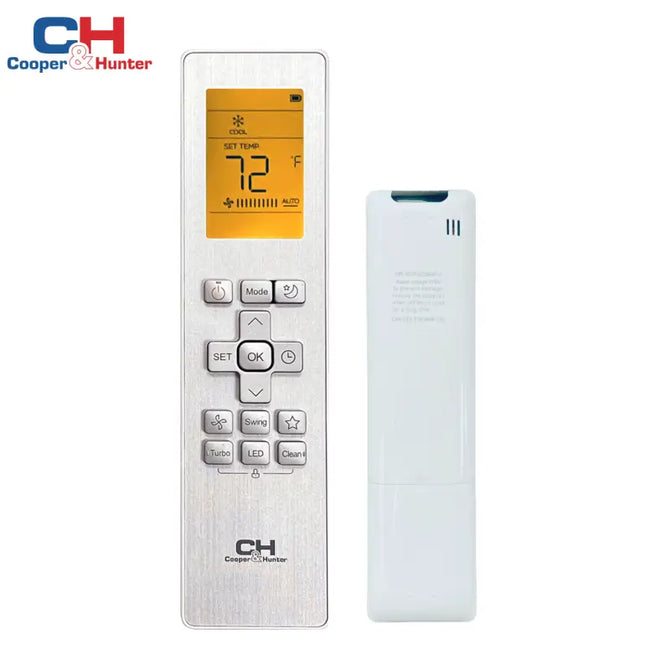
Most remotes have a "Water Drop" icon. This isn't just a gimmick. Here is what happens inside the unit when you press it:
- Fan Slows Down: Air lingers over the cold coil longer, pulling more moisture out per cycle.
- Compressor Modulation: The inverter compressor runs steadily at lower speeds to maintain coil temperature above freezing without drastically dropping the room temperature.
In rainy springs or muggy autumns, you often don't need cooling, just drying. Dry Mode is perfect for these "Shoulder Seasons" where standard AC would make the room uncomfortably cold.
The Danger of Oversizing
Installing a 24k BTU unit in a small room causes Short Cycling.
The room cools to 70°F in minutes, the unit shuts off, and dehumidification stops immediately. You are left with a cold, clammy basement feel. Inverter technology helps solve this by cruising at low speeds, but correct sizing is still paramount.
Mini Splits vs. Portable Dehumidifiers
| Feature | Mini Split (Dry Mode) | Portable Dehumidifier |
|---|---|---|
| Efficiency | High (Inverter Tech) | Low (Generates Heat) |
| Noise Level | Whisper Quiet (19-25dB) | Loud Compressor (50dB+) |
| Heat Effect | Cools the space | Adds heat to the space |
| Maintenance | Automated Drainage | Manual Bucket Emptying |
Frequently Asked Questions
Ready for dry, crisp comfort?
Don't just cool your air—condition it. Find the perfect inverter system that cruises at low speeds to keep humidity in check.
Multi Zone Ductless Mini Split SystemsDisclaimer: Humidity removal rates vary by ambient temperature, humidity levels, and unit size. Consult a licensed HVAC professional for precise sizing via Manual J calculations.